GlowFi
Create a free account
Made for investors in Canada

All your investments. One glowing dashboard.

Follow your stocks, ETFs and crypto across every account, see what you really earn, and get your tax figures ready.

7 days of Pro included when you sign up. No credit card needed to create a free account.

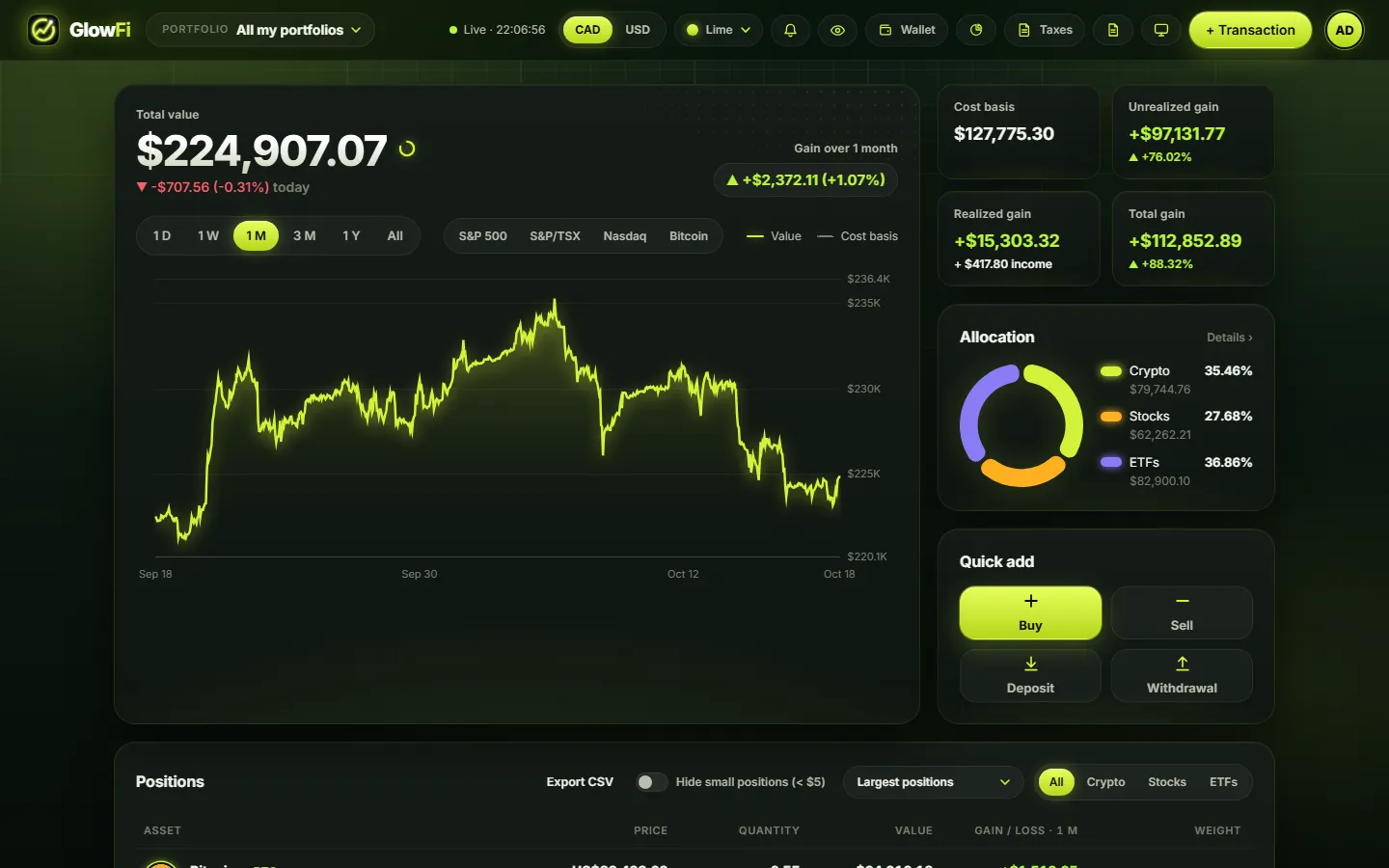
The GlowFi dashboard with total value, performance chart and allocation
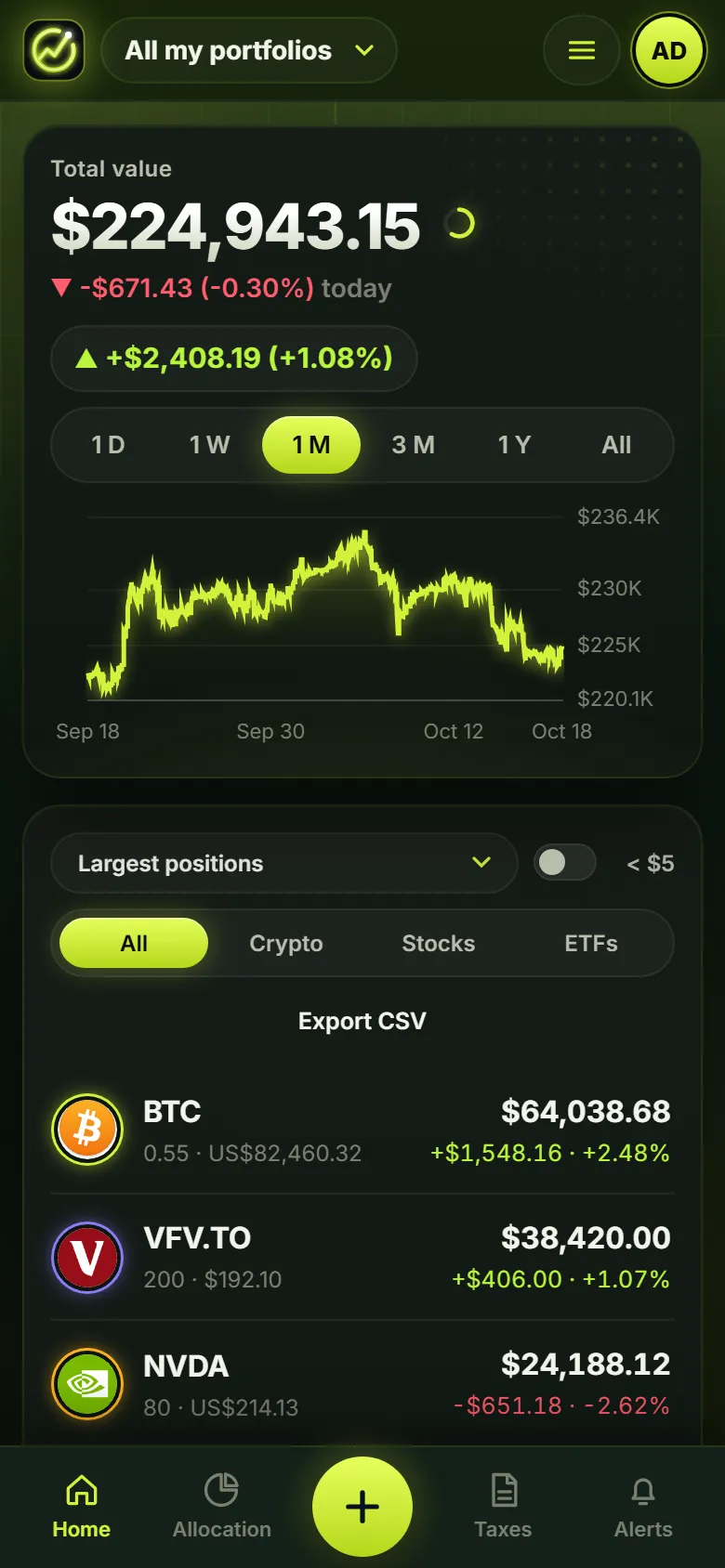
GlowFi on a phone

Make it yours

Five colour themes, in dark or light. Pick one: this whole page changes, and your dashboard will look the same.

The dashboard in the colour theme you picked

Everything you need to understand your money

From today鈥檚 prices to next year鈥檚 tax return, GlowFi keeps it all in one calm, good-looking place.

Portfolio

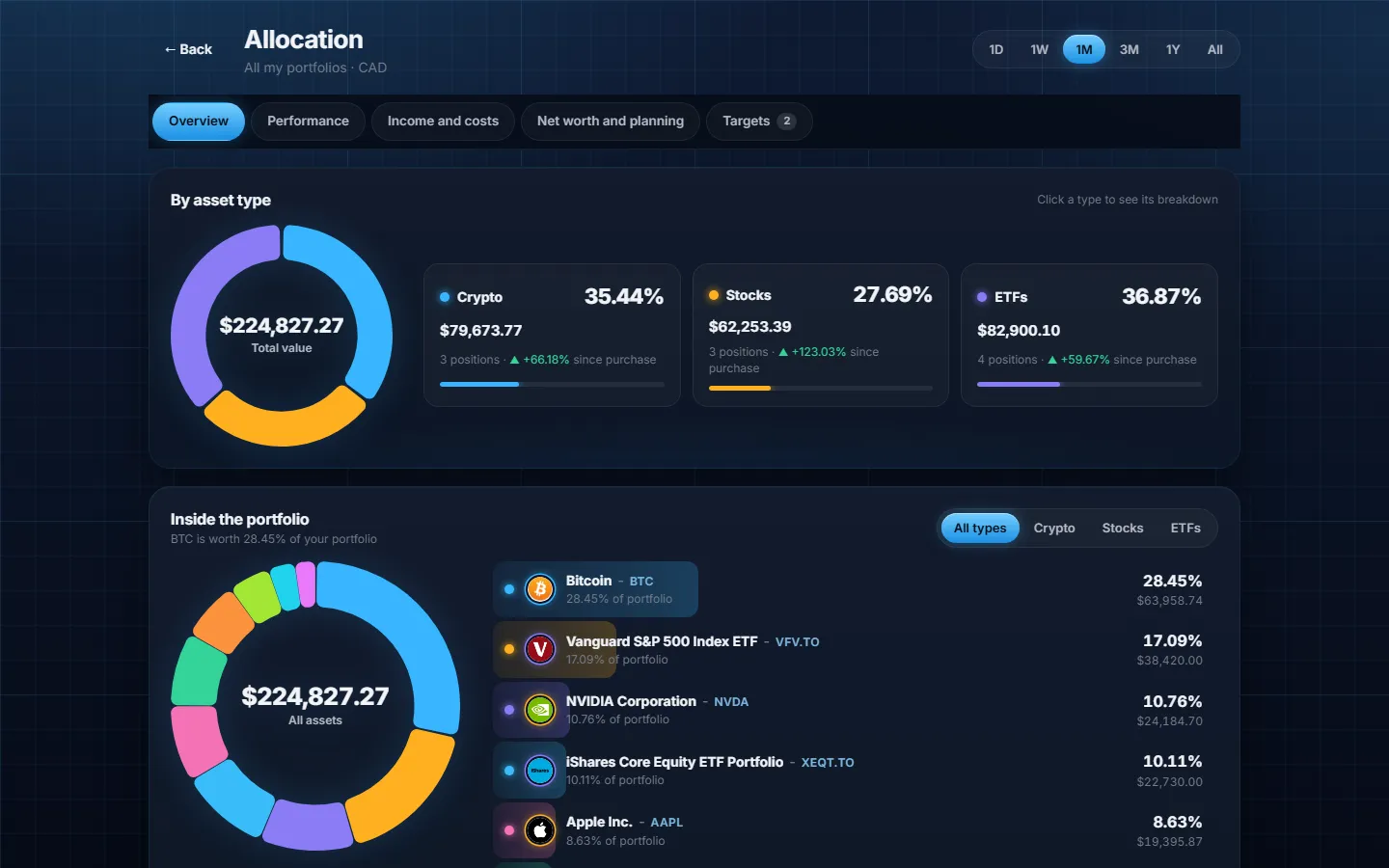
See your whole portfolio at once

Stocks, ETFs and crypto from every platform and account in one view, with live prices. Break it down by type, compare with the S&P 500, TSX, Nasdaq or Bitcoin, and see the share of each position.

  • Several portfolios, one combined total
  • Gain over any period, in CAD or USD
  • Hide the amounts with one tap
The allocation page with a breakdown by asset type
Performance

Know exactly what you earn

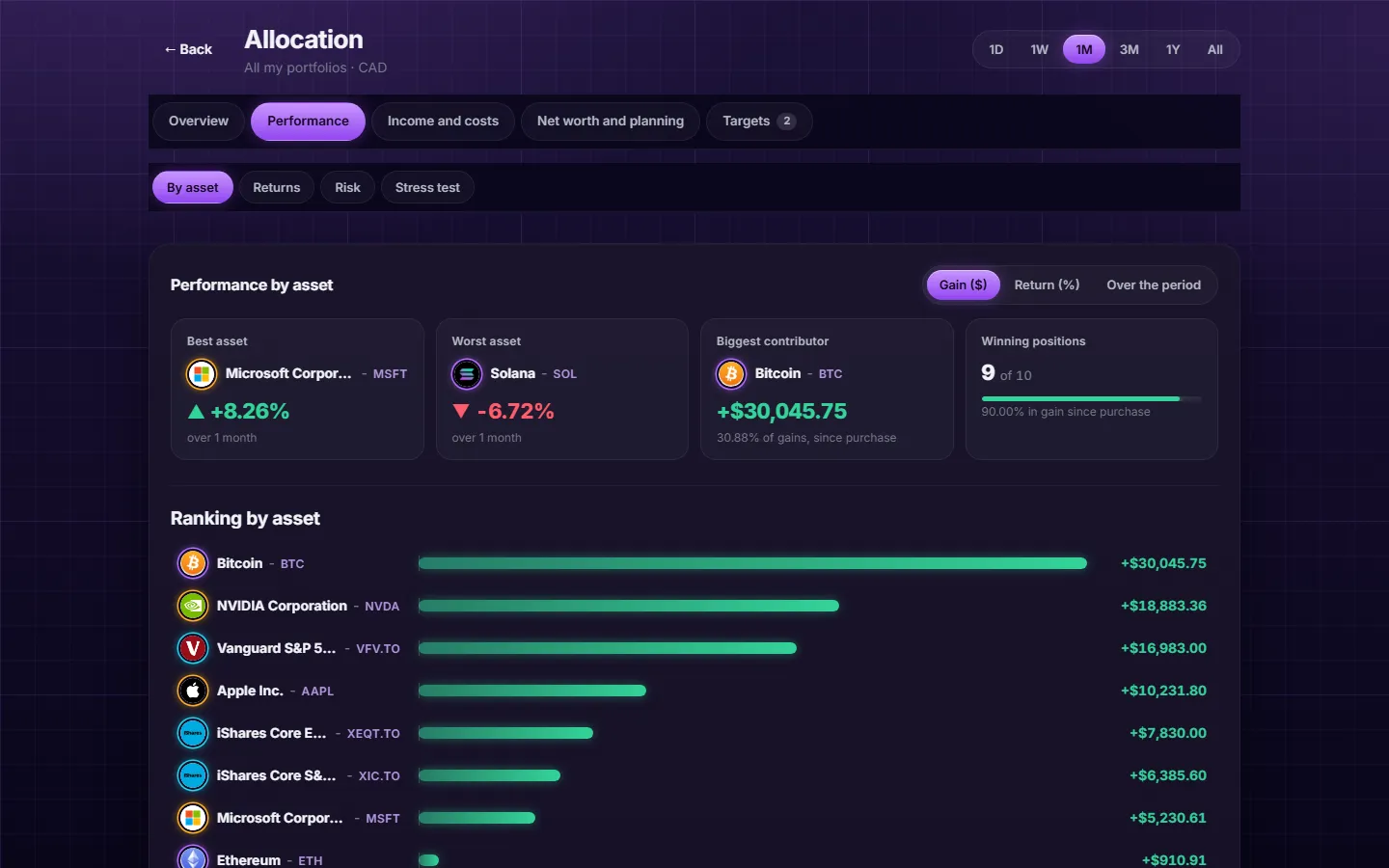
Which asset made you money, and which one cost you? See returns that ignore the cash you add or withdraw, your dividends and fees, and the income your portfolio should pay in the next 12 months.

  • Best and worst assets, ranked
  • Time-weighted and money-weighted returns
  • Dividend calendar and trading fees
Performance by asset with the best and worst positions
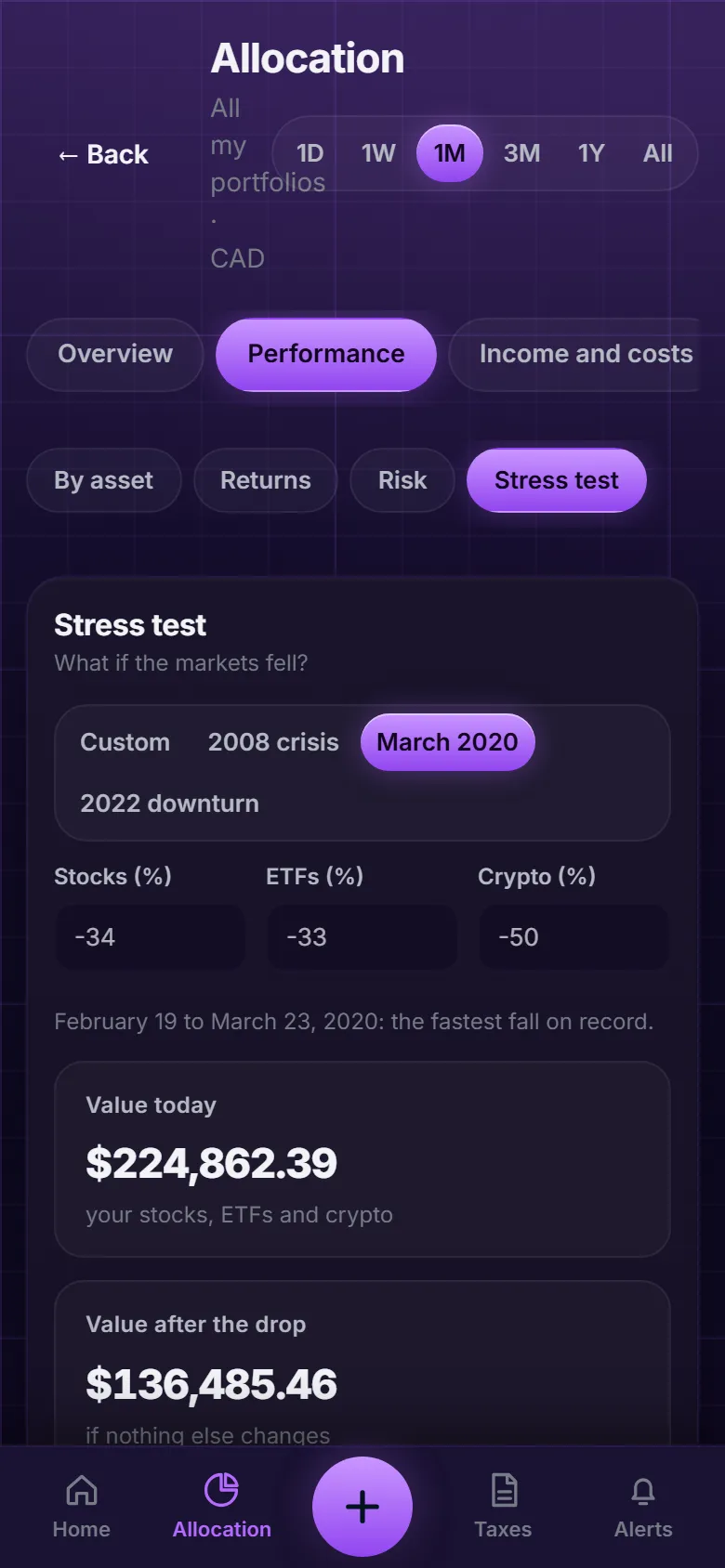
The stress test on a phone
Canadian taxes

Tax season without the headache

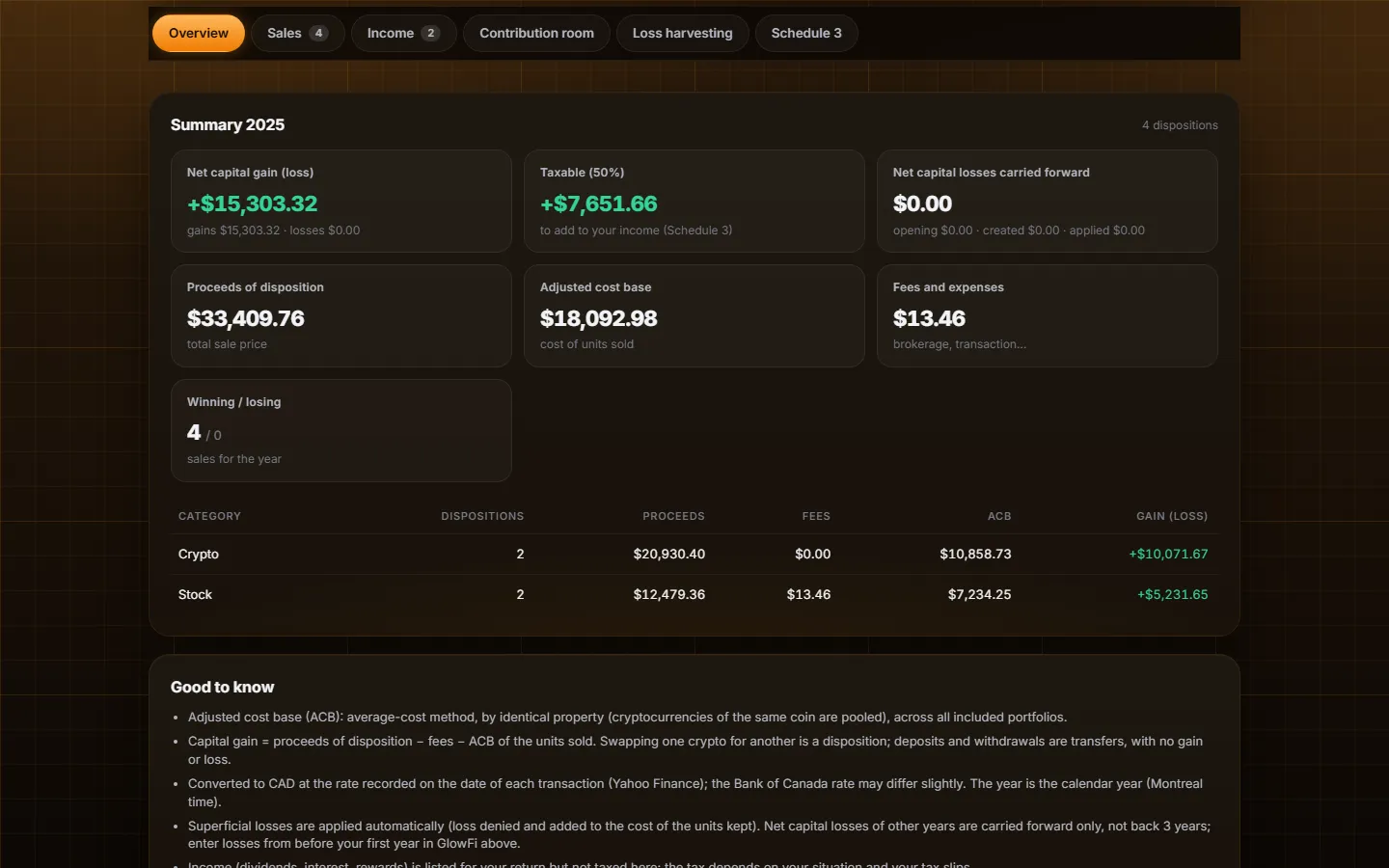
GlowFi calculates your adjusted cost base, capital gains and income the way the CRA expects, applies the superficial loss rule, and prepares a Schedule 3 worksheet. Share a read-only link with your accountant that expires when you choose.

  • Gains, losses, staking and dividends by year
  • TFSA, RRSP and FHSA room, T1135 alert
  • Loss harvesting and a warning before a superficial loss
The tax report with the capital gains summary
Planning

Test your plan before the market does

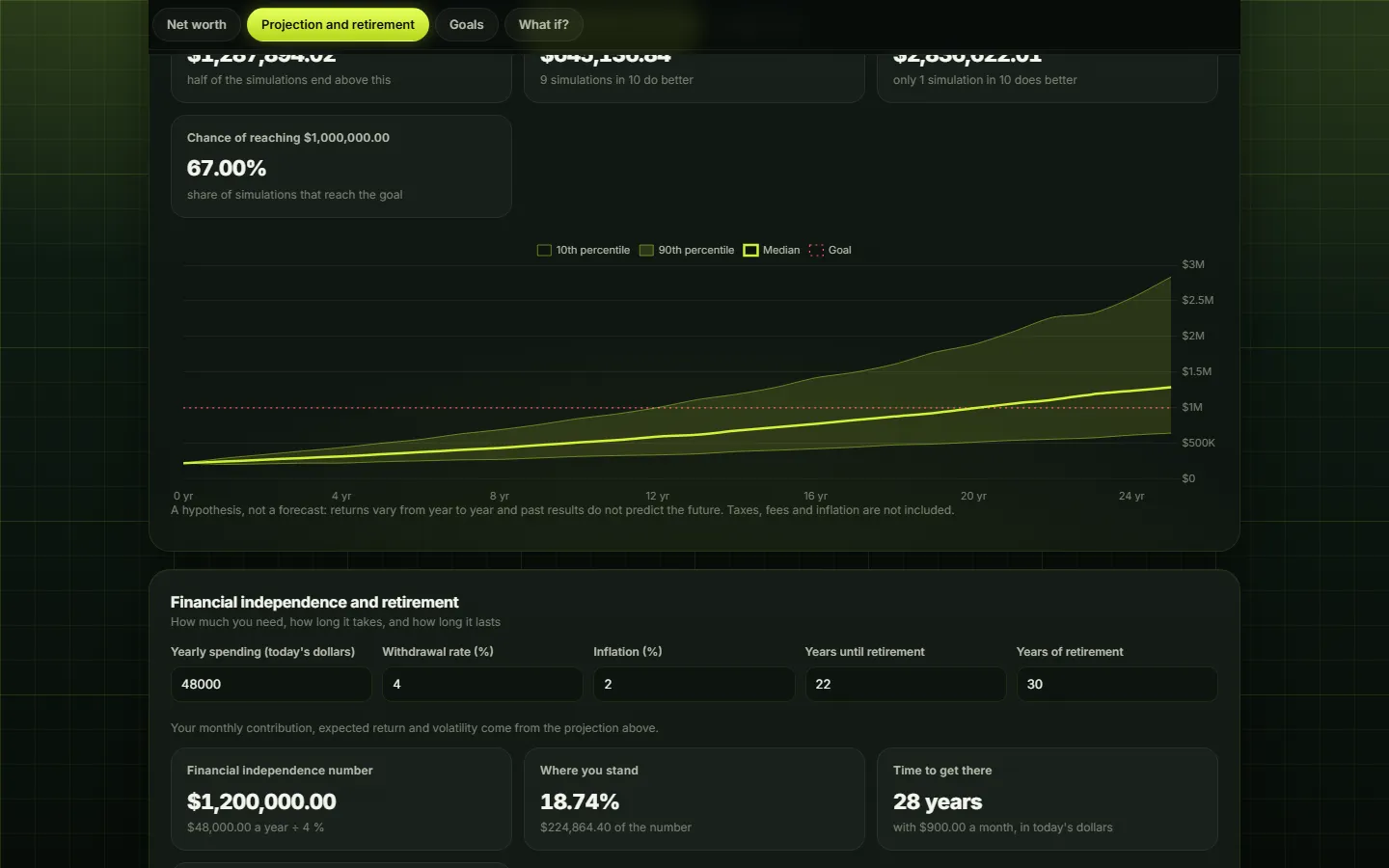
What would a 30% drop cost you? How likely are you to reach your goal? How long could your savings last in retirement? Run stress tests, a Monte Carlo simulation and a financial independence calculator on your real portfolio.

  • Stress tests: 2008, 2020, 2022 or your own
  • Range of outcomes for your savings plan
  • Several goals: house, retirement, studies
A Monte Carlo projection of the portfolio over 25 years
Alerts

Stay informed without watching screens

Get a notification on your phone when a price crosses your level or moves by a set percentage from your cost. Plan regular purchases with a reminder, and receive a short weekly or monthly summary.

  • Price and percentage alerts, even when the app is closed
  • Recurring purchases with reminders
  • Weekly or monthly summary
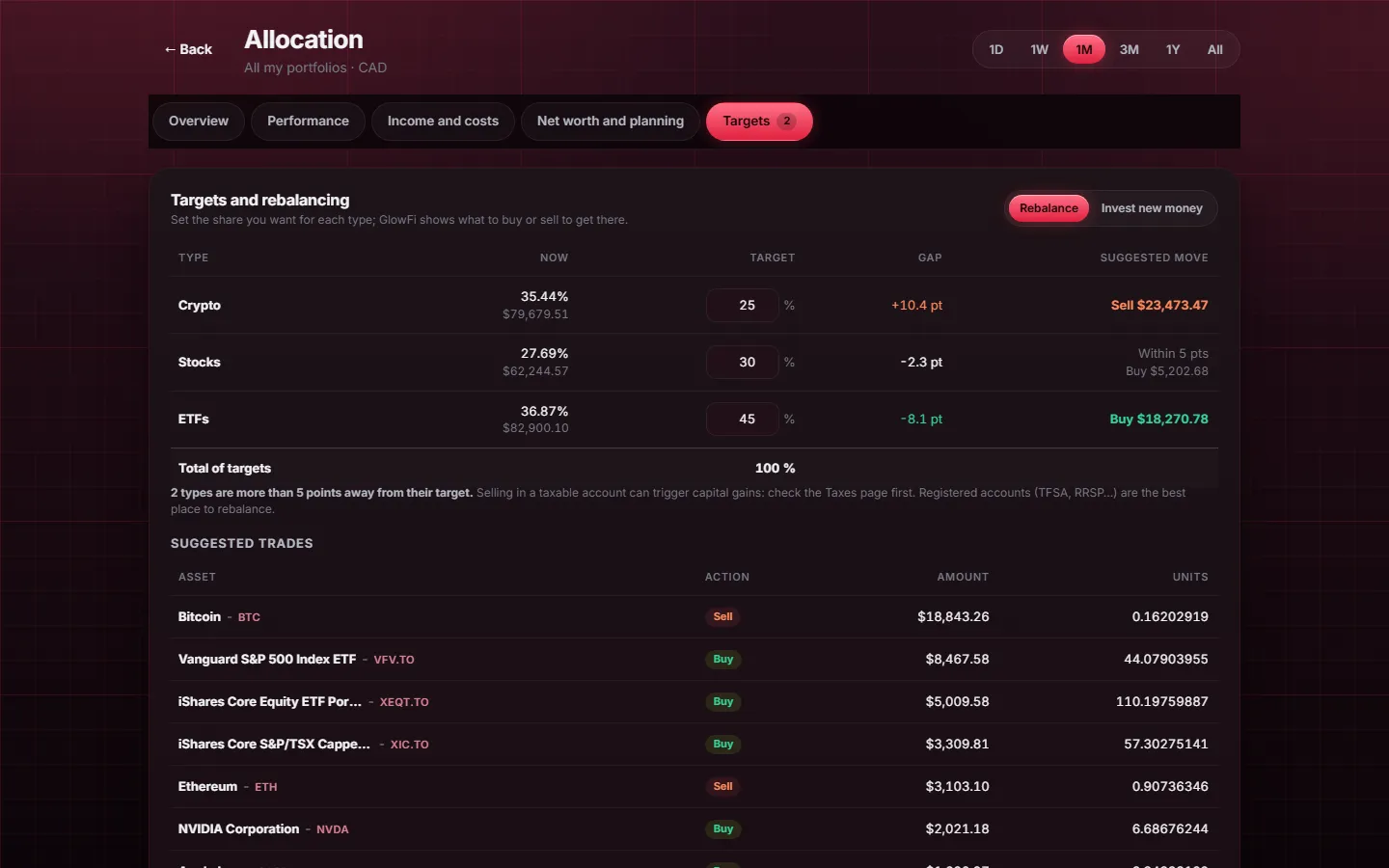
Allocation targets and a recurring purchase plan
Market

See what the market is doing

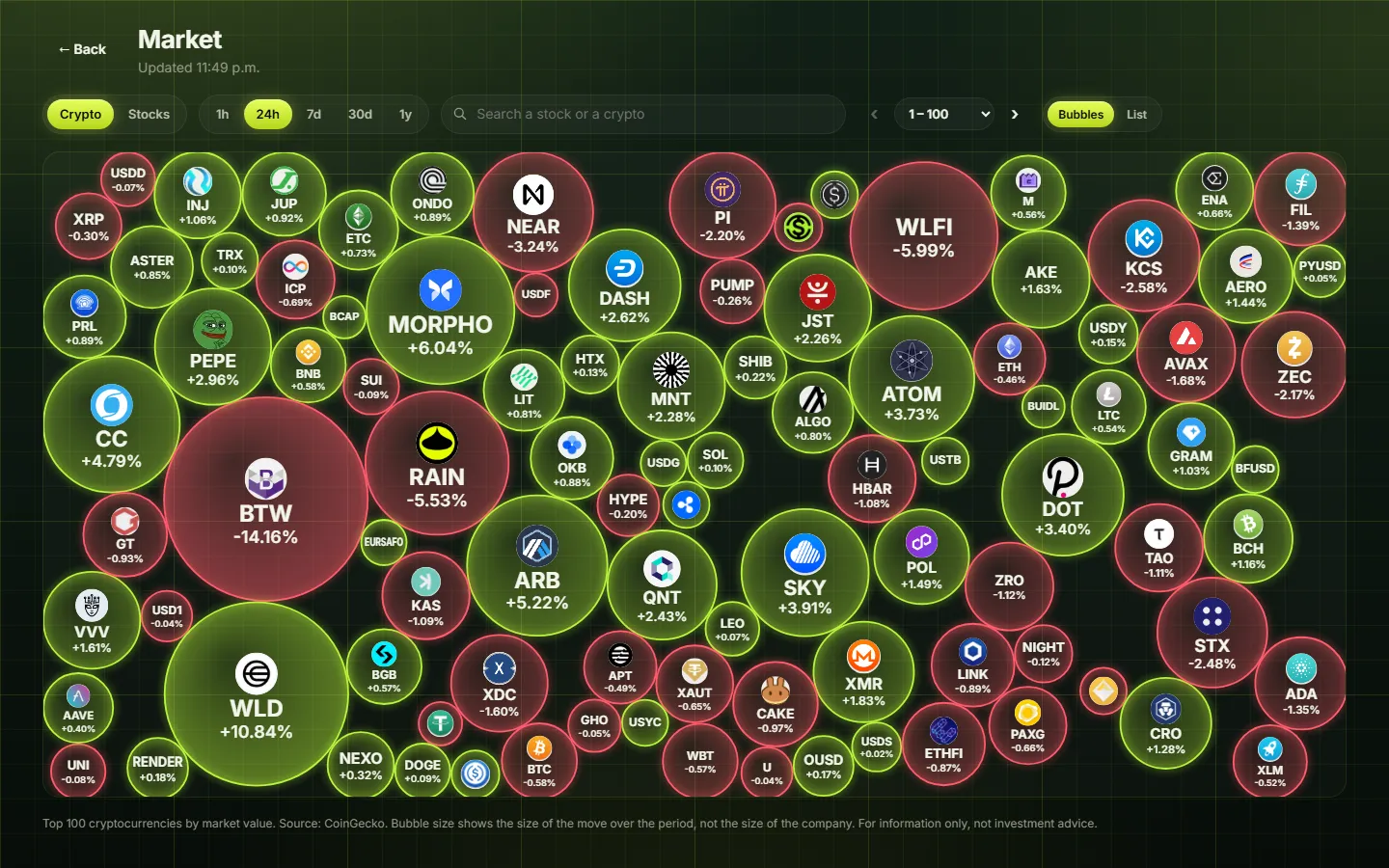
A page of live bubbles for the top cryptocurrencies and about 140 large US and Canadian stocks. The bigger the bubble, the bigger the move over the hour, day, week or year: green when it rises, red when it falls. Open one to see its chart and add it to your portfolio.

  • Crypto and stocks, one tap to switch
  • Search any asset without adding it
  • Bubble view or a sortable list
Bubbles showing the biggest moves of the day in crypto
Health check

A score for your portfolio

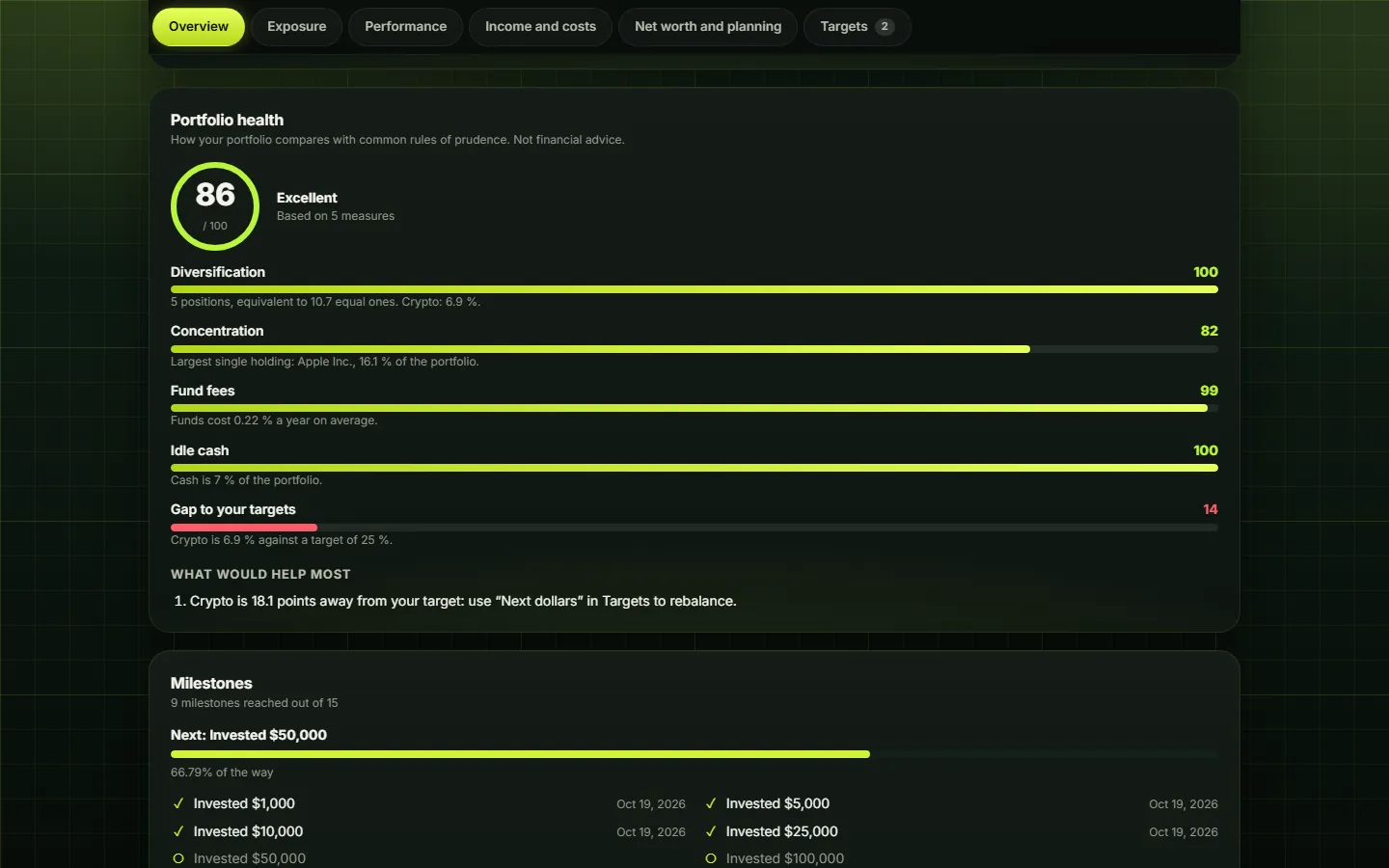
GlowFi gives your portfolio a score out of 100 and the three actions that would improve it most. It looks at diversification, weight of your largest holding, fund fees, idle cash and the gap to your targets.

  • A clear score and the reason behind it
  • Concrete next steps, no jargon
  • Common rules of prudence, not financial advice
The portfolio health score with its five measures
Kiosk mode

Your portfolio, on the big screen

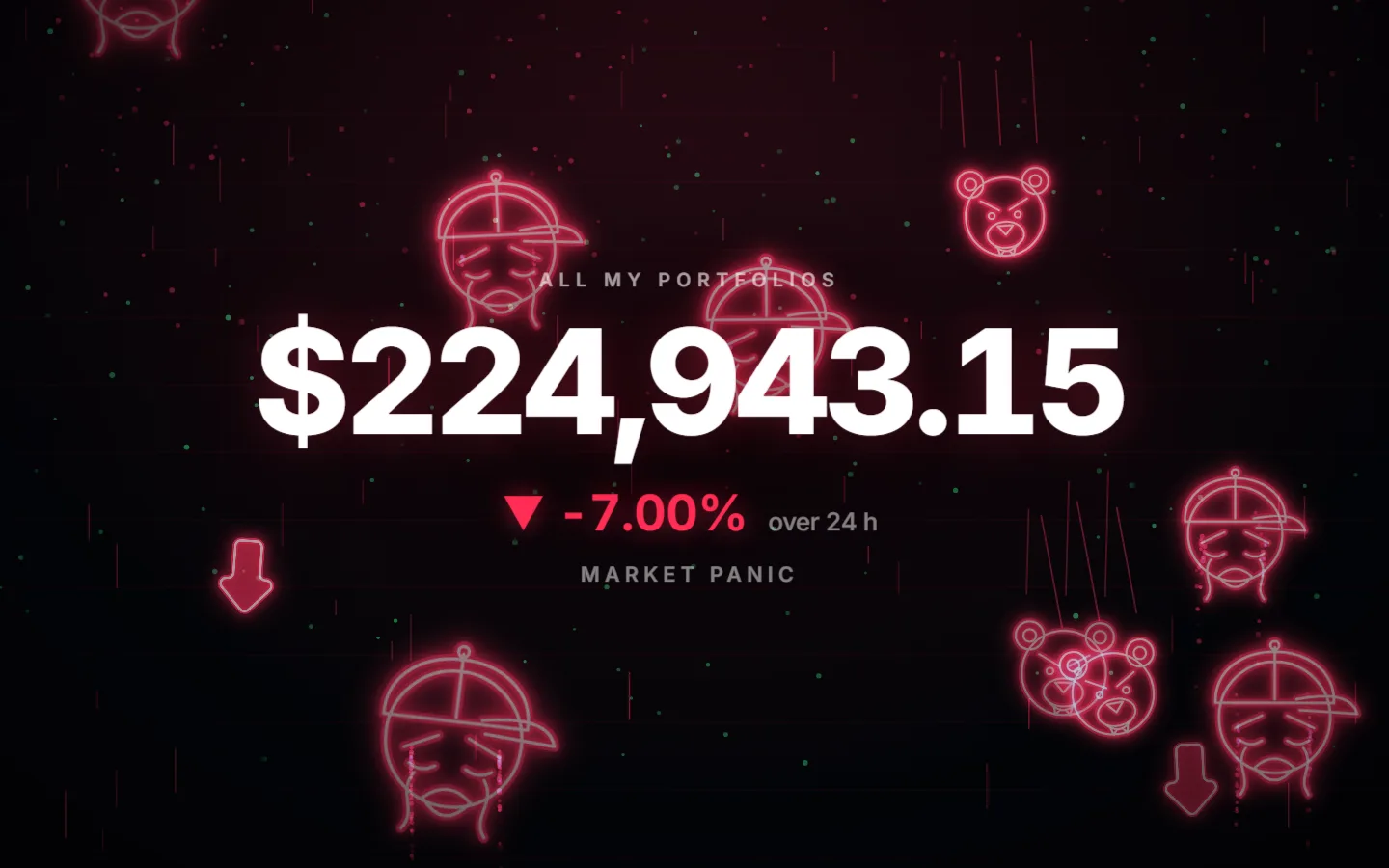
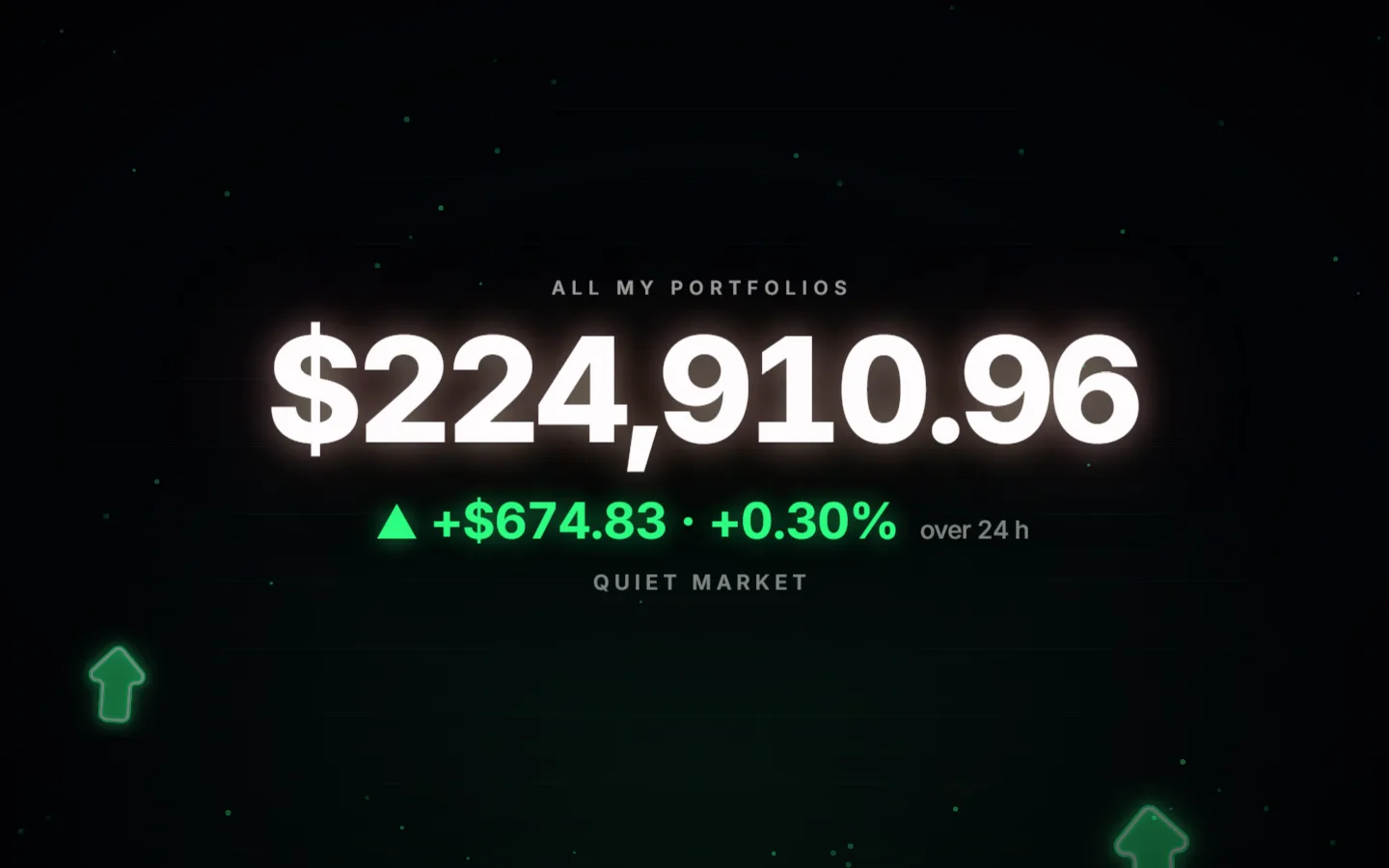
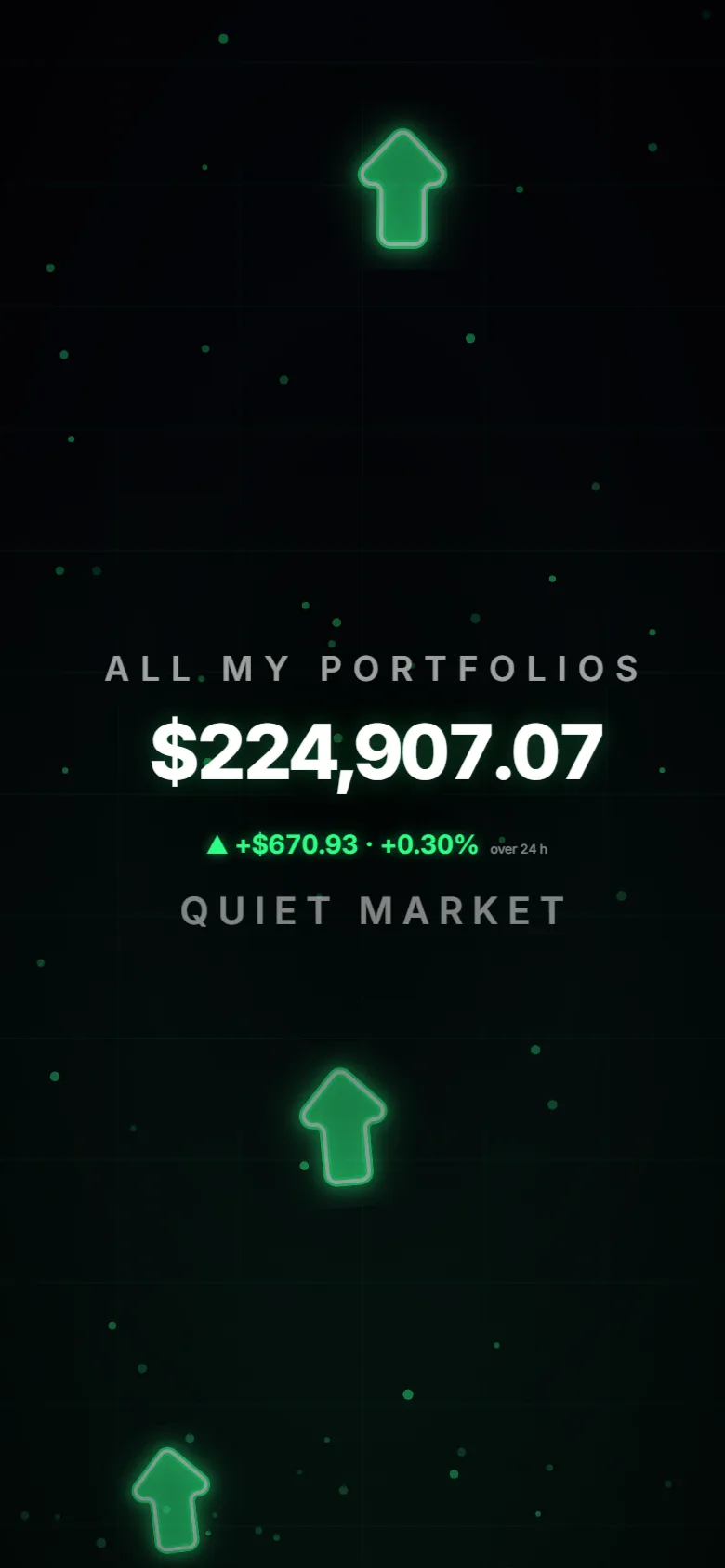
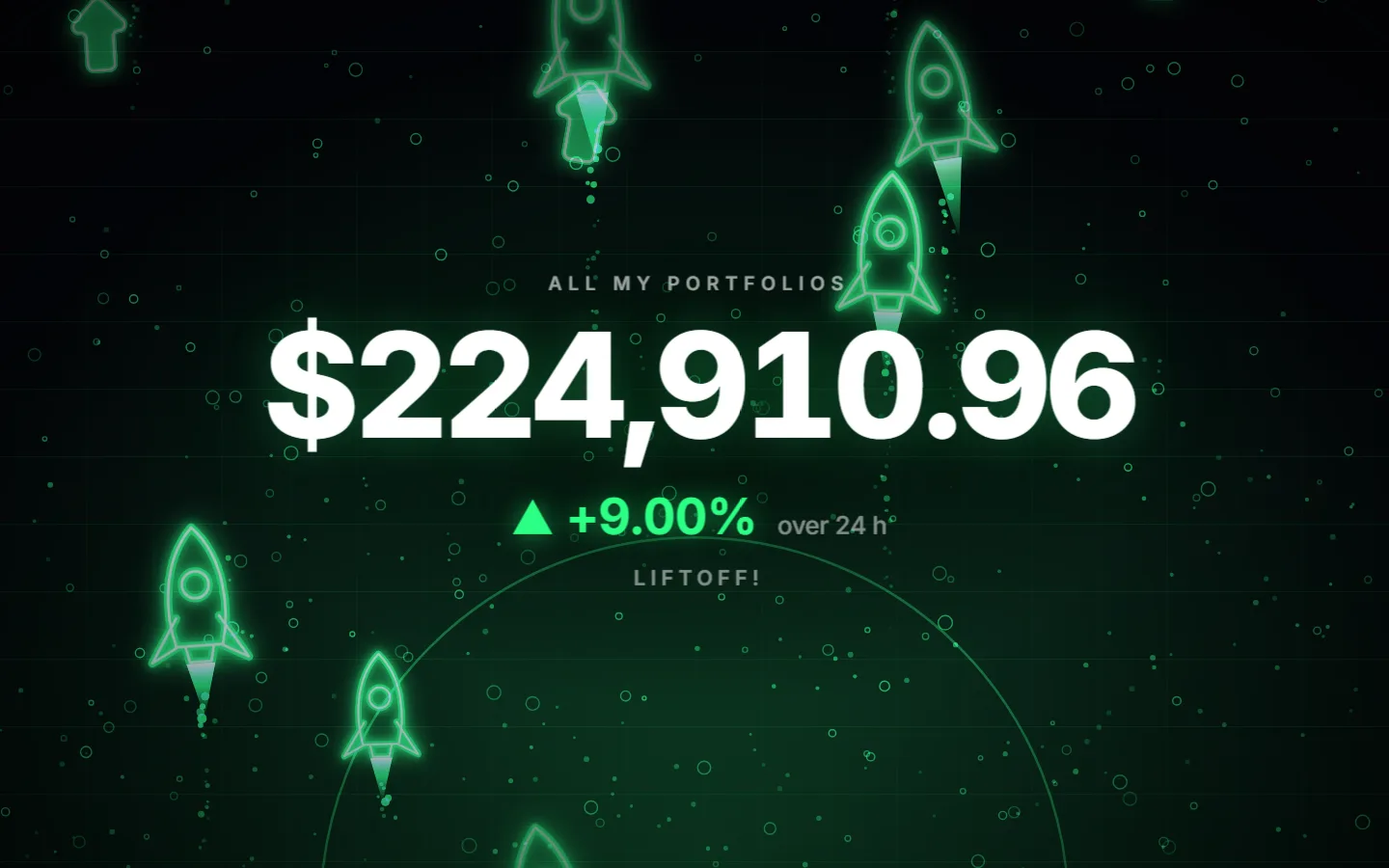
Turn a TV, a spare monitor or an old tablet into a live display of your portfolio. The total glows, and the whole screen plays along with the market.

Kiosk mode on a falling day: red bears and rain
Market panic
Kiosk mode on a rising day: green rockets
Liftoff!
Kiosk mode on a quiet day: floating green arrows
Quiet market
Kiosk mode on a phone

Create a free account

Made to fit in your pocket

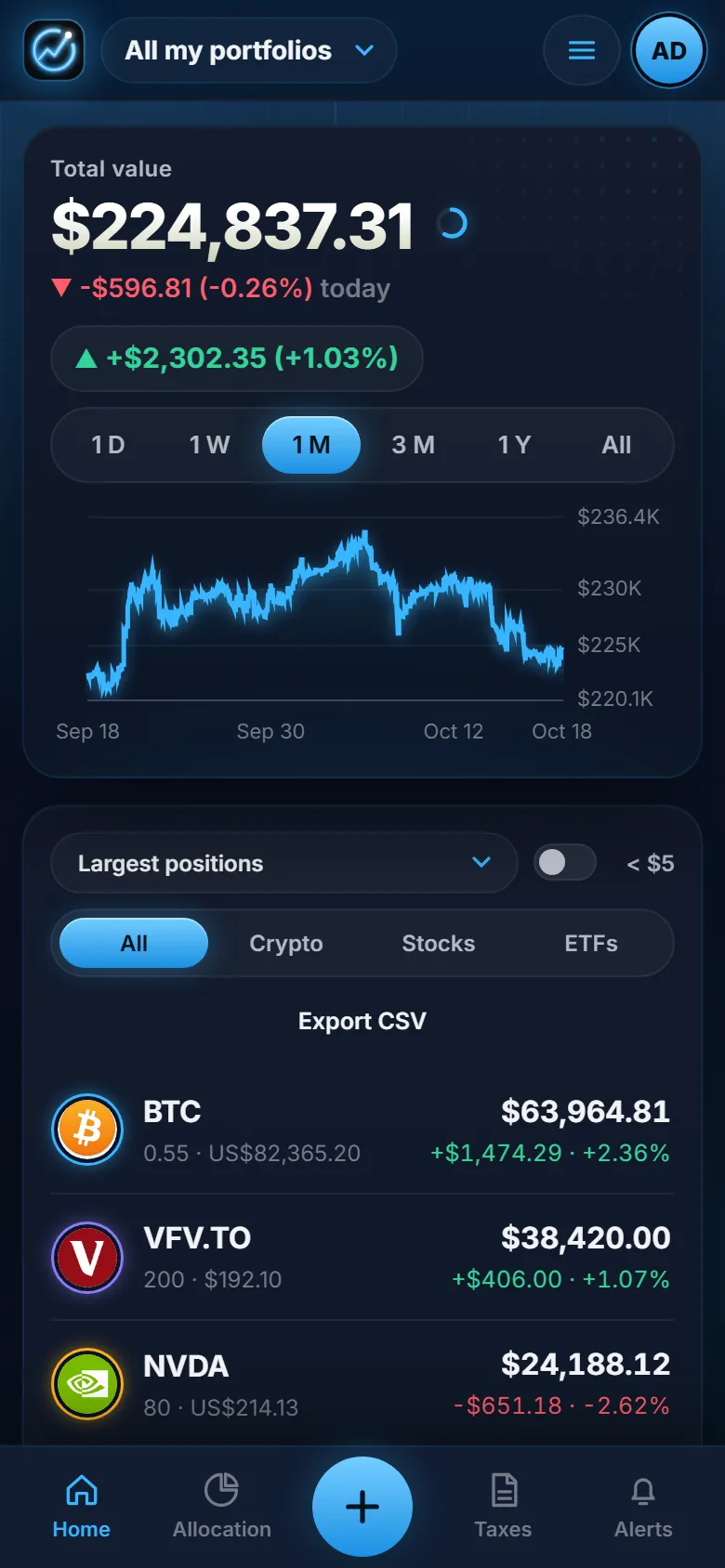
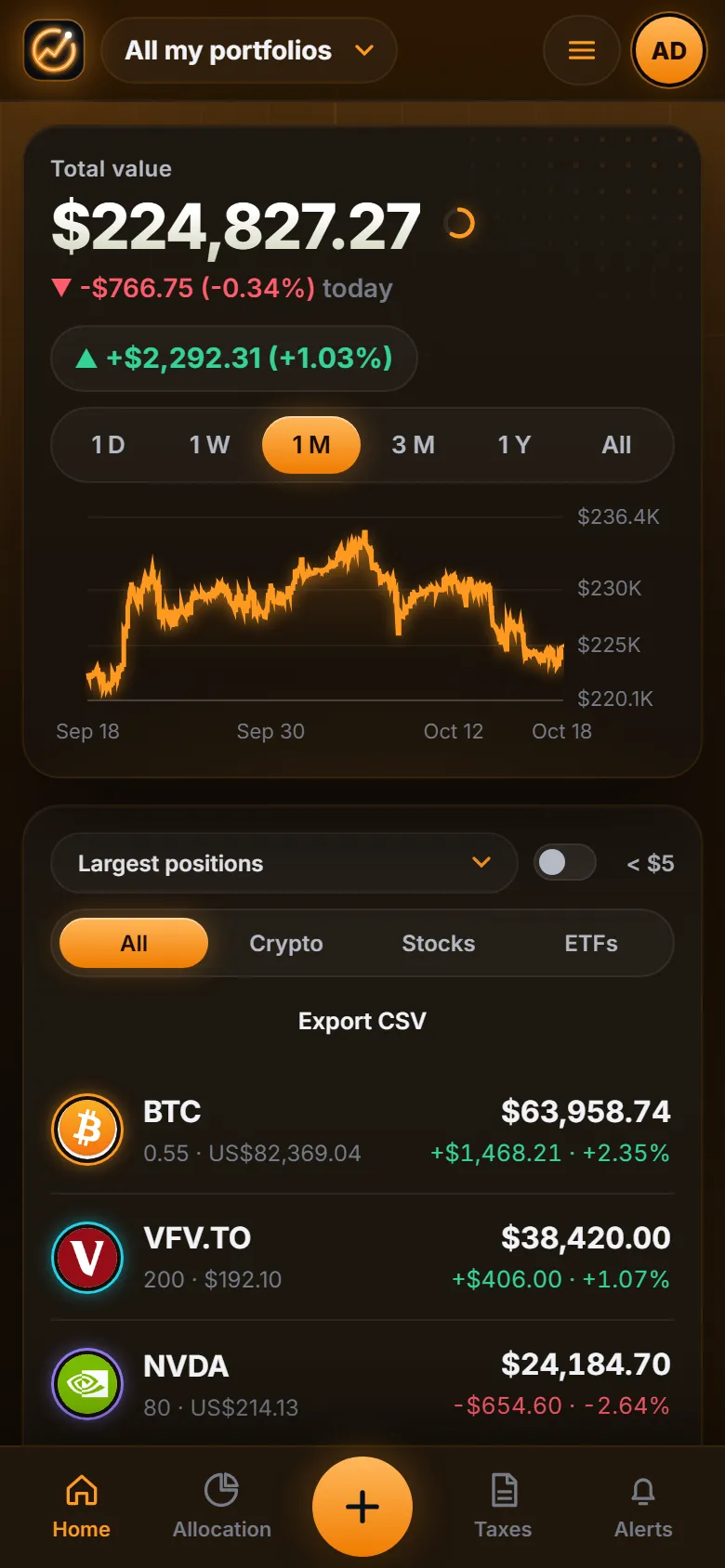
Everything works on your phone. Add GlowFi to your home screen and use it like an app, in dark or light mode.

The stress test on a phone
The home page on a phone
The home page on a phone, in orange

And a lot more

Bring your data in minutes

Import files from Delta, Kraken, Coinbase, Binance, Questrade, Wealthsimple or any spreadsheet. Follow a wallet (Ethereum, Bitcoin, Solana) or connect Kraken for automatic updates.

Targets and rebalancing

Set how much you want in stocks, ETFs and crypto. GlowFi shows what to buy, or where to put your next $1,000 without selling anything.

Net worth

Add your home, savings and debts to see your real net worth, not just your investments.

News and signals

Headlines for each asset, a technical buy signal and a journal to write down why you bought.

Share and report

Print a monthly or yearly report as a PDF, or share a read-only view of your portfolio, with or without the amounts.

CAD or USD

Switch the whole app between Canadian and US dollars with one tap, using the day鈥檚 exchange rate.

Your data stays yours

Two-factor sign-in

Protect your account with a code from your phone.

Encrypted backups

Download a backup encrypted with your own passphrase.

No ads, never sold

Your portfolio is not used for advertising and is never sold. Built with Qu茅bec鈥檚 privacy law in mind.

Leave any time

Export everything and delete your account whenever you want.

Up and running in three steps

  1. 1

    Create your free account

    It takes less than a minute, and 7 days of Pro are included.

  2. 2

    Add or import your transactions

    Type them in, upload a file from your platform or follow a wallet.

  3. 3

    Watch it all come together

    Your portfolio, performance, taxes and goals appear on their own.

Start free, upgrade only if you need more

Every new account starts with 7 days of Pro. Afterwards you keep the free plan, or choose the plan that fits you.

Compare the plans in detail

Questions you may have

Is GlowFi really free?

Yes, there is a free plan with no time limit. Paid plans add advanced analysis, more alerts and goals, and tools for your accountant. Every new account starts with 7 days of Pro, with no credit card.

Can GlowFi buy or sell for me?

No. GlowFi never trades and never moves money. It only reads the transactions you enter or import, and prices from public sources.

Is my data safe and private?

Your password is stored as a salted hash, sensitive secrets are encrypted and you can turn on two-factor sign-in. We do not sell your data or use it for ads. You can export everything and delete your account at any time.

Which platforms can I use?

Any: you can type your transactions or import a file. Ready-made imports exist for Delta, Kraken, Coinbase, Binance, Questrade and Wealthsimple, and any other CSV file works by choosing its columns.

Is this tax or financial advice?

No. GlowFi is an information and organization tool. Its tax figures help you prepare your return: always check them with a qualified professional.

Is there an app for my phone?

GlowFi works in your phone鈥檚 browser and can be added to your home screen to behave like an app, with notifications for your alerts.

Ready to see your money clearly?

Create your free account and get 7 days of Pro, with no credit card.

Create my free account